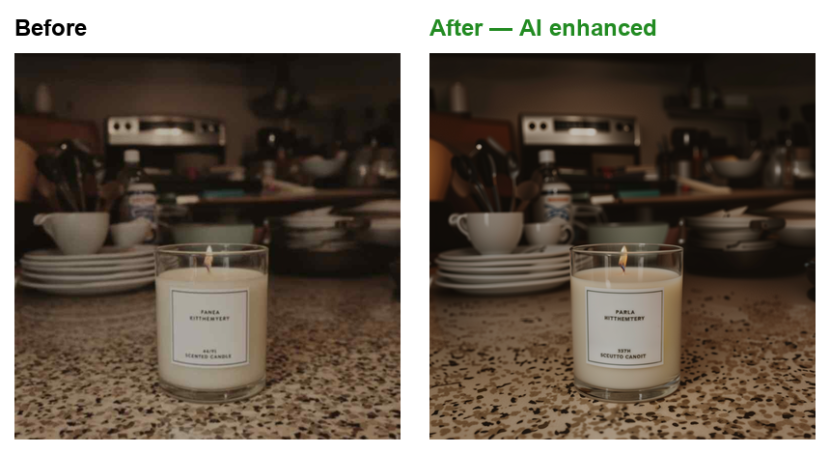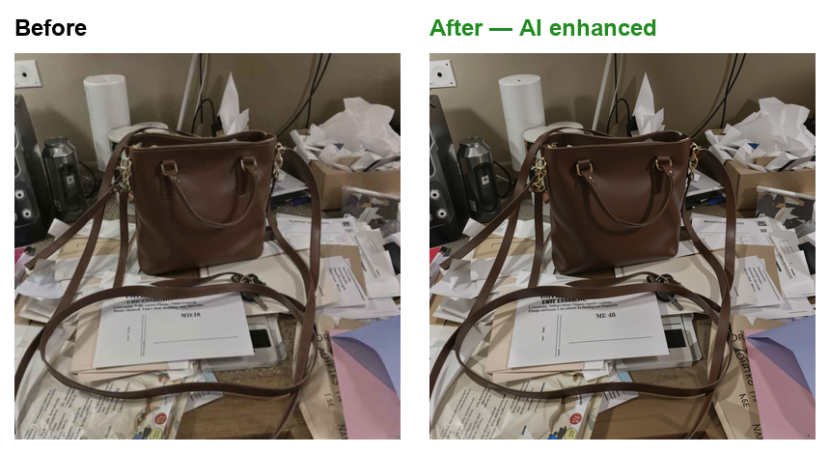
Customer-supplied photos are rarely print-ready: phone snapshots, compressed web images, dim lighting, soft focus. Enhance Photo fixes the common problems automatically, inside your Switch flow, powered by the PixelPanda AI photo enhancer.
Drop any JPEG, PNG or WebP into the flow. PixelPanda runs multiple enhancement models at once (sharpening, deblur, denoise, colour and contrast restoration), scores the outputs and returns the best one. You get a single improved PNG with no manual decisions to make.
Good to know: enhancement is generative — alongside sharpening and colour restoration the AI reconstructs fine detail, and very small printed text (product labels, serial numbers) may be redrawn inaccurately. Keep originals in your flow when label fidelity matters.
Setup takes a minute: create a free account at pixelpanda.ai, paste your PixelPanda API key into the app and activate the flow. Successful jobs go to the Success connection as a .png; anything that fails (invalid key, no credits, unsupported file, timeout) goes to Error with the reason in the job log.
The app itself is free. Processing uses PixelPanda credits at 1 credit per image. Credits never expire and are shared across all PixelPanda apps. Typical chain: Enhance Photo (AI) → Upscale Image (AI) → Remove Background (AI) for a complete supplier-photo-to-press pipeline.