About Phoenix Equipment
Phoenix Equipment is a bundle. One purchase installs two Enfocus Switch apps - Phoenix Plates and Phoenix Things - which together cover the two Enfocus Phoenix libraries that decide what your plant can actually run: the presses and finishing devices, and the plates they image onto.
Eliminate manual equipment maintenance and enable reliable end-to-end integration across your production workflow, while saving up to 100 hours of configuration and development time. Phoenix Equipment is especially useful for plants commissioning or re-costing devices regularly, keeping your MIS and Phoenix in sync.
What it does
A Phoenix imposition is only as good as the equipment definitions behind it. Change a press's costing, add an operation mode, approve a stock for a device, correct a plate's distortion - and every plan that follows is different. Phoenix Equipment lets a flow make those changes, without clicking through the Phoenix interface.
Phoenix Things
Five actions across four targets, seventeen in total:
- Create a Thing - any of the 12 device types, from a single-step form that fills in Phoenix's own defaults for everything you leave blank
- Edit a Thing - General, Costing, Capabilities and Placement settings, individually or in bulk
- Create an Operation, a Rule, or an Output - add or replace a named operation mode, a per-stock media rule, or an output connection to another device
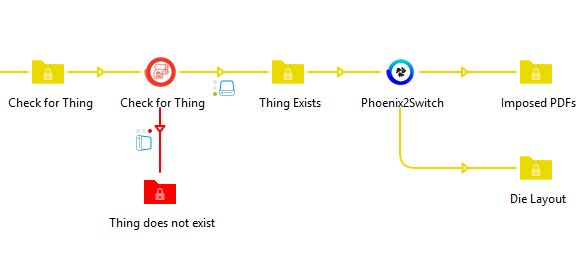
- Find or Check for a Thing, Operation, Rule, or Output and route the job on what exists
- Delete a Thing, Operation, Rule, or Output
Phoenix Plates
Five actions:
- Create new plates - width, height, punch height, horizontal and vertical distortion, and price in a single step
- Edit existing plates, individually or in bulk. Changing the Description is handled for you: Phoenix cannot update that field in place, so the app renames the original aside, posts a replacement, and removes the old record - the plate keeps its name and every other value
- Find or Check for a plate and route the job on whether it exists
- Delete plates that are no longer needed
Rather than one giant "edit everything" screen, each action edits one facet - so a flow changes exactly what it means to change.
Flexible, operator-based search
Both apps share the same selector: look up items by Name, ID, External ID, or Description - Things adds Notes and Type - using familiar operators like Equals, Contains, and Starts With. Target one item, every device of a given type, or the whole library in a single job.
Built for production flows
Both apps behave identically here, so a flow that handles one handles the other.
- Every job produces a clean JSON result file you can branch on downstream. The outcome is five fixed buckets - created, edited, deleted, skipped, failed - so one downstream script reads either app, and the other Phoenix apps too
- An item that matched your selector but was deliberately left alone lands in `skipped` with its id and name, so a bulk run tells you what it did **not** touch as precisely as what it did
- Every Phoenix call the job made is reported with the exact body sent and the reply received - so a two-step create or a plate re-create is legible stage by stage, and you can audit or diff a run without adding logging
- Errors come back as structured JSON too — same shape, same keys — no parsing log messages
- Three-way routing: Success, Warning, and Error. The Warning route fires whenever the app's behavior diverged from your literal request - Override actually deleted something, a matched device was skipped because its type didn't match, or a plate re-create left an orphaned copy needing manual cleanup. Each divergence is listed in the result JSON so flows can react precisely.
- Automatic retry when Phoenix is busy, so transient load doesn't stall the flow
- Safe to run alongside each other and the other Phoenix-aware Switch apps - all of them coordinate API calls to prevent write conflicts, with no configuration
Who it's for
Print operations and prepress teams using Enfocus Phoenix who need to automate equipment- and plate-library synchronization through API-based workflows, including device creation, costing and capability updates, operation modes, media rules, output routing, plate dimensions and distortion, and removal from upstream systems.
About Significans Automation
Significans Automation Inc. specializes in delivering next-generation automation to the Printing and Packaging industry. The company offers programming and expertise in custom workflow development, communication and project management, color management, prepress training, and end-to-end business integration. The company is driven by the conviction that customized automation is the only path forward.