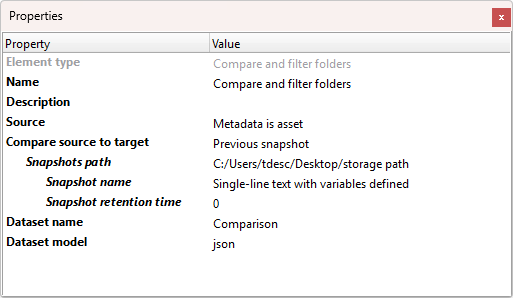
Compare and filter folders is an application designed to compare folders and their contents.
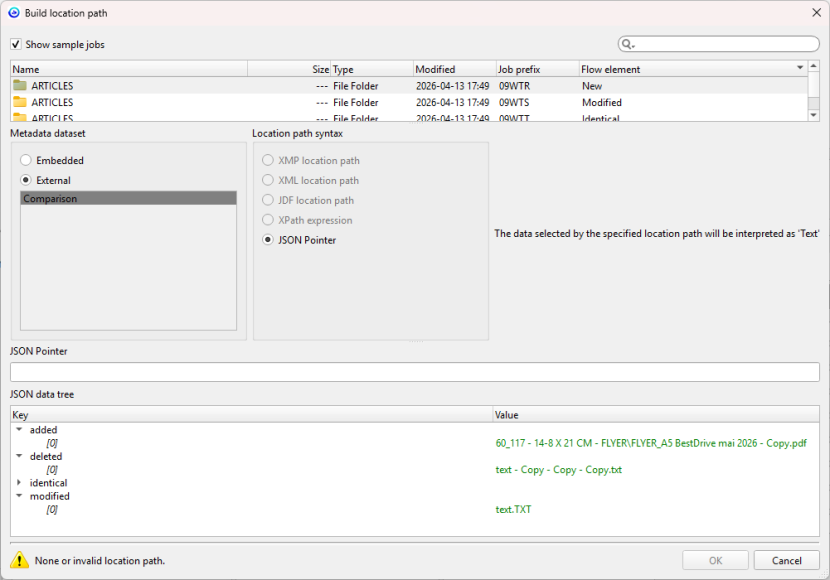
It detects added, modified, deleted, and identical files, and stores the results as a dataset.
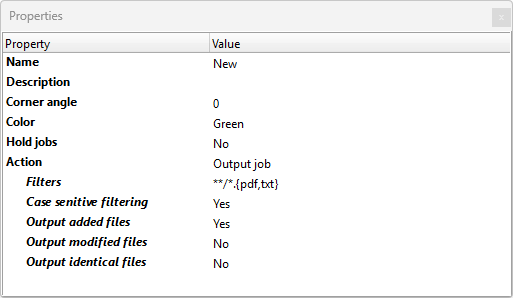
Each outgoing connection supports flexible filtering using micromatch patterns.
Results can be routed to specific connections based on user-defined rules, such as sending only modified or new files.
Additionally, the application can save snapshots of the current folder state as JSON files and compare them with previous snapshots to track changes over time.
Use case
- Detect Design Updates Automatically
Compare incoming customer folders with previous versions to identify only modified or new files. Route only the changes directly to prepress, skipping unchanged files to save time and reduce errors.
- Validate Backups in Prepress Workflows
Ensure backup folders match live project folders by identifying missing, added, or altered files. Use snapshots to maintain a history of changes for compliance and recovery.
- Filter and Route Specific File Types
Use micromatch patterns to exclude temporary files (e.g., !*.tmp) and route only production-ready assets (e.g., *.pdf, *.tif) to the next workflow step.