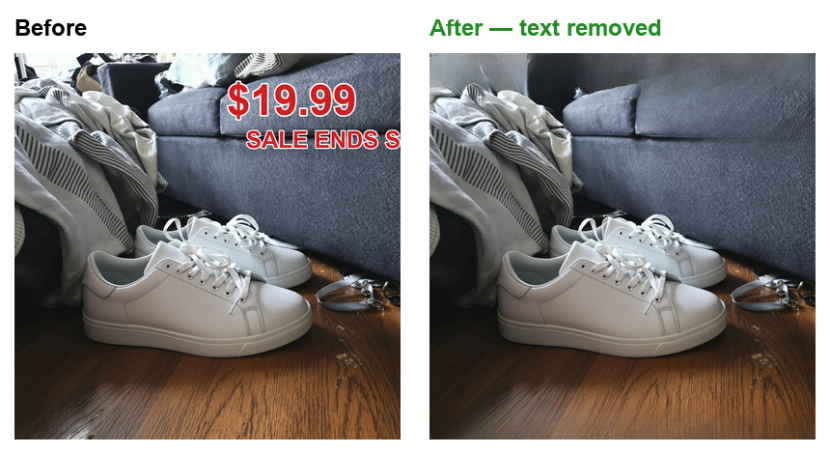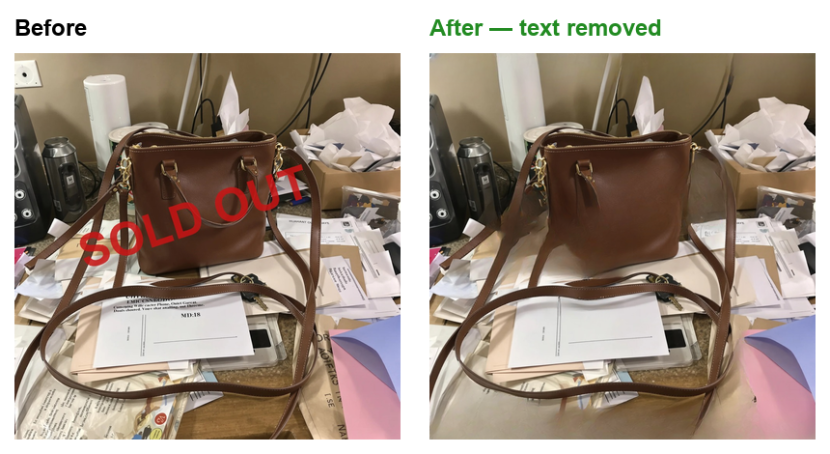
Supplier and marketplace images arrive covered in things you can't publish: price flashes, "SOLD" and "SALE" stamps, promo text, proof overlays. Cleaning them one by one in Photoshop doesn't scale. Remove Text does it automatically, inside your Switch flow, powered by the PixelPanda AI text remover.
Drop any JPEG, PNG or WebP into the flow. PixelPanda detects printed text and overlays, removes them and inpaints the background so the result looks like the text was never there. Product edges, textures and shadows behind the text are reconstructed, not blurred.
Good to know: the AI removes ALL detected text, including text that is part of the product label, so route only images whose visible text should go. Best results on stamps, stickers, price flashes and single overlay lines; very dense tiled watermarks can degrade the image.
Setup takes a minute: create a free account at pixelpanda.ai, paste your PixelPanda API key into the app and activate the flow. Successful jobs go to the Success connection as a .png; anything that fails (invalid key, no credits, unsupported file, timeout) goes to Error with the reason in the job log.
The app itself is free. Processing uses PixelPanda credits at 2 credits per image. Credits never expire and are shared across all PixelPanda apps. Chain it with Remove Background (AI) and Upscale Image (AI) for a complete marketplace-to-print cleanup flow.