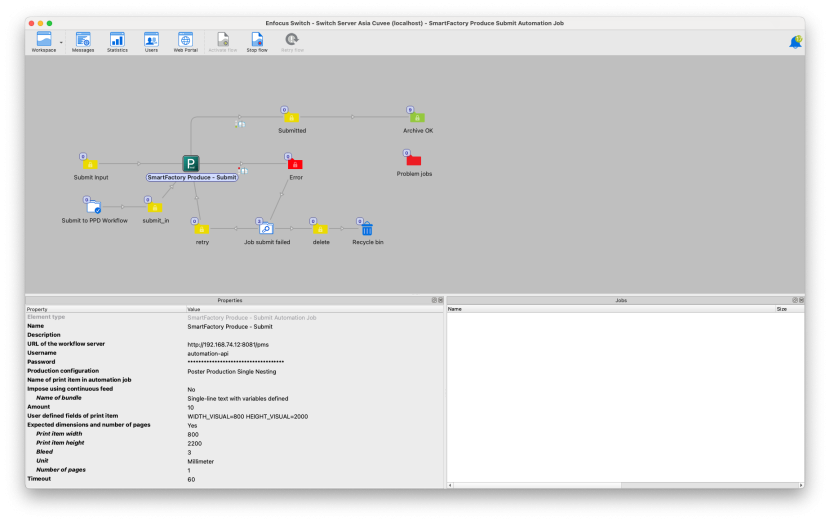
This free Enfocus Switch App enables seamless submission of one or multiple PDF or image files directly into the OSI Produce PDF Workflow to automatically create and process automation jobs.
This integration allows you to submit one or multiple files, or entire folders, to automatically trigger the creation of an automation job in the workflow.
Beyond simple file submission, the Switch App also enables users to define key production parameters such as expected sizes, bleed, number of pages, and quantities — ensuring that each file is processed individually and precisely according to its specifications.
In addition, user-defined fields open up even more automation possibilities, allowing custom metadata to dynamically control how each job is handled within the workflow — from prepress checks to imposition and production setup.
Key Highlights
Free Enfocus Switch App available in the Enfocus Appstore
Submit one or multiple files (or folders) directly to the OSI Produce PDF Workflow
Automatically trigger automation job creation with prepress and imposition logic
Define expected size, bleed, page count, and quantity for smarter job handling
User-defined metadata fields for advanced workflow automation and customization
Faster, rule-based production setup with minimal manual intervention
Whether you’re automating single orders or high-volume batch production, this new Switch App makes your OSI Produce PDF Workflow more connected, intelligent, and efficient than ever.