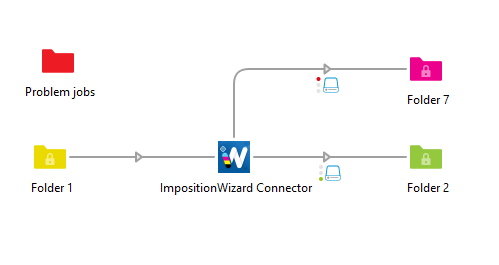
ImpositionWizard Connect is an Enfocus Switch app that connects automated Switch workflows to Appsforlife Imposition Wizard 3.
The connector receives incoming PDF jobs in Switch, applies a selected Imposition Wizard preset, and sends the imposed PDF forward automatically. It is designed for print production and prepress environments where common imposition tasks such as step-and-repeat, N-up, booklet layouts, or other reusable Imposition Wizard presets need to run as part of a Switch flow.
The app does not replace Appsforlife Imposition Wizard. Instead, it acts as a workflow connector between Switch and the locally installed Imposition Wizard application. The actual imposition is performed by Imposition Wizard 3 using the preset selected in the Switch element properties.
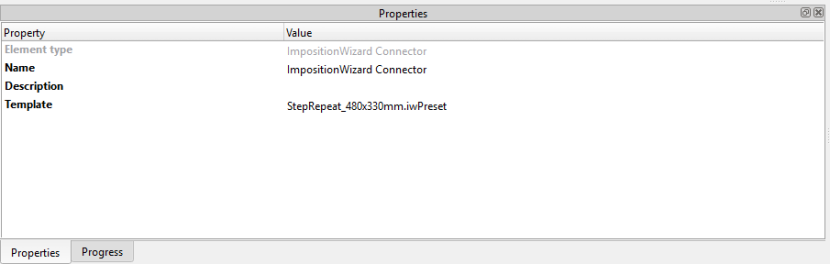
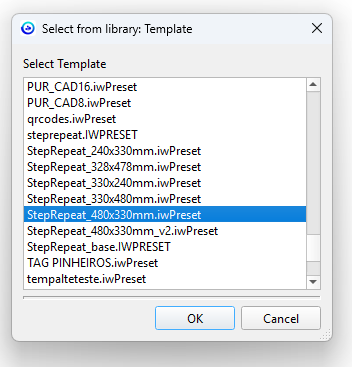
Operators can choose a template from the local Imposition Wizard preset folder directly inside the Switch app properties. Once configured, every incoming PDF is processed with that preset. This makes it easy to build separate Switch flows or flow branches for different production layouts, sheet sizes, product types, or finishing requirements.
ImpositionWizard Connect supports traffic-light routing for clear workflow control. When imposition succeeds, the imposed PDF is created and routed through the Success output. When imposition fails, the original job is routed through the Error output and a clear error message is written to the Switch log. This allows production flows to continue automatically, while failed jobs can be collected, reviewed, or sent to a separate correction process.
Typical use cases include:
The Imposition Wizard Connect is intended for Windows-based Switch installations with Appsforlife Imposition Wizard 3 installed on the same machine. Presets are read from the local Imposition Wizard preset folder, so production teams can manage imposition layouts in Imposition Wizard and then reuse them inside automated Switch workflows.