Mark Smaller, Encode Smarter with DataMatrix
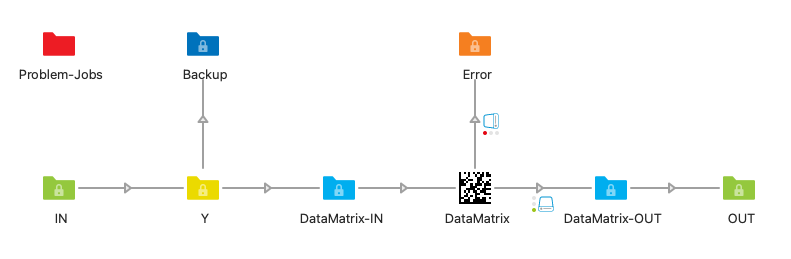
In industrial part marking, high-density product labelling and small-item identification, one 2D symbology dominates: DataMatrix. It fits a serial number on a millimetre-scale electronic component, a structured reference on a tiny product flap, a machine-readable identifier on the underside of a precision part. Where QR is too bulky and a linear barcode simply doesn’t fit, DataMatrix delivers. This app makes generating compliant, DataMatrix codes (RGB) a one-step affair in any Switch flow.
Here’s why you need DataMatrix:
Tunable Error Correction
Eight ECC levels from 1 to 8 let you trade off symbol size against robustness. Crank it up for direct-part-marked components that may be scratched, scuffed or laser-engraved on uneven surfaces. Dial it down for clean digital print where capacity matters more than recovery.
Mirror, Rotate, Frame
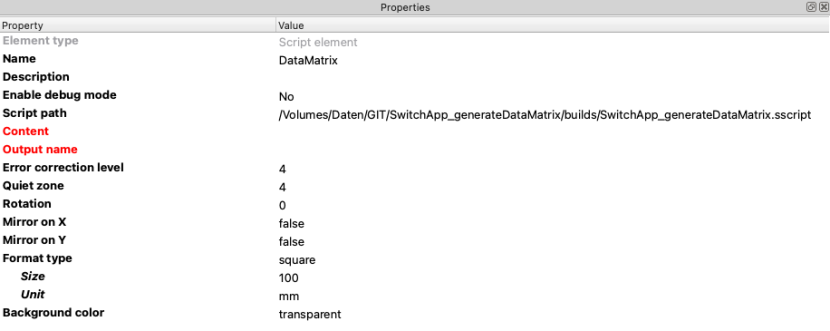
Engraved on the underside of a transparent surface? Flip horizontally or vertically with a single parameter and the code reads correctly from the other side. Need a rotated symbol for a side panel? Done. Need a wider or tighter quiet zone? Configurable from 0 to 10 modules.
Print-Ready SVG Output
Every DataMatrix is emitted as a clean vector SVG (RGB) with explicit width and height in your chosen unit — mm, cm or in. Sharp module edges at any resolution thanks to crisp-edge rendering. Drop the file into InDesign, Illustrator or any modern RIP and it lands at the exact size you specified.
We got you covered:
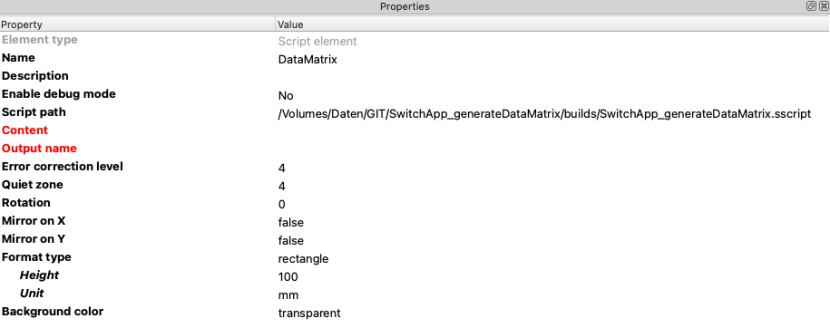
This app generates DataMatrix barcodes as SVG files using the bwip-js barcode library, the reference open-source implementation of dozens of barcode symbologies. Output is a vector SVG with explicit width and height in the requested physical unit (mm, cm or in), so InDesign, Illustrator and print RIPs render the barcode at its exact specified size without further scaling. Square and rectangle formats are both supported, as are horizontal and vertical mirroring for engraving and read-through-substrate scenarios.
DataMatrix — ISO/IEC 16022:2024: https://www.iso.org/standard/80926.html
Typical DataMatrix payloads: