Pack More Data into Less Space with the High-Density Aztec Code
Look at the bottom of any modern airline boarding pass or transport document and you’ll find a small, dense square of black and white modules: an Aztec code. Designed for situations where space is precious and data integrity is critical, Aztec packs an enormous amount of information into a footprint where a QR code wouldn’t fit — and does it without needing a single millimeter of quiet zone. This app makes generating Aztec codes for your Switch flows trivially easy.
Here’s why you need Aztec Codes:
- Maximum Density, Minimum Footprint
Aztec was engineered from the ground up for high information density. The bullseye finder pattern sits in the middle of the symbol rather than at the corners, eliminating the need for a quiet zone and allowing you to push the code right up against other layout elements. On a cramped boarding pass or a small product label, every millimeter counts — and Aztec gives them back to you.
- Adjustable Error Correction
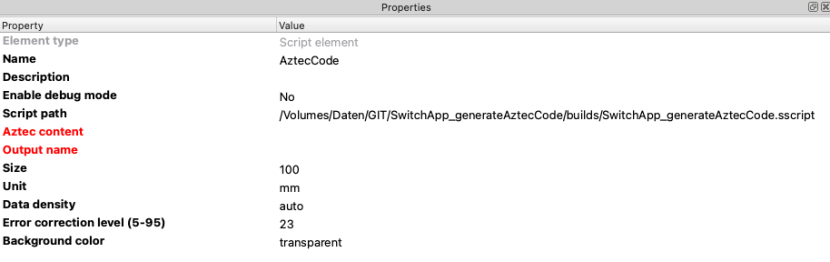
From 5% all the way up to 95%, Aztec’s error correction is fully tunable. Need an aggressive 50% recovery rate because the codes will be printed on rough cardboard and crumpled in a backpack? Done. Need a tight 10% to maximise data capacity on a clean glossy label? Also done. One parameter, total control.
- Auto-Sizing or Manual Layers
Let bwip-js pick the optimal number of layers for your payload, or pin it to a specific value from 1 to 32 when you need consistent code dimensions across a series. Auto mode keeps things simple; manual mode keeps things uniform — whichever your workflow demands.
- Built for Tickets, Transport and ID
Aztec is the symbology of choice for IATA Bar Coded Boarding Passes, healthcare wristbands and many ID document standards. Whatever your application, generating compliant Aztec codes is now a one-app affair.
- Print-Ready SVG Output
Every Aztec code is emitted as a clean vector SVG with explicit width and height in your chosen unit — mm, cm or in. Drop it into InDesign, Illustrator or any modern Raster Image Processor and it lands at the exact size you specified, sharp at any resolution.
- Seamless Workflow Integration
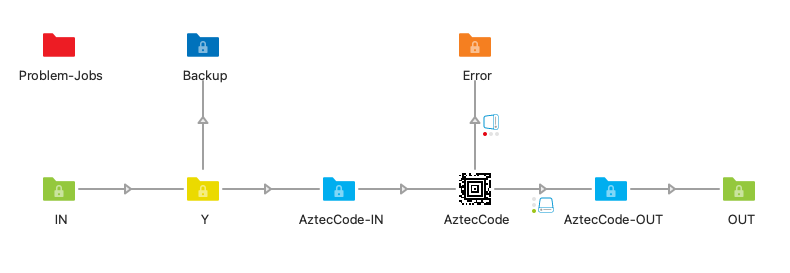
The app replaces the original file with the generated SVG (RGB) and passes it seamlessly to the next step. The background can be transparent for placement on coloured layouts, or solid white when you need an opaque code.
We got you covered:
This app generates Aztec code barcodes as SVG files using the bwip-js barcode library, the reference open-source implementation of dozens of barcode symbologies. Output is a vector SVG with explicit width and height in the requested physical unit (mm, cm or in), so InDesign, Illustrator and print RIPs render the barcode at its exact specified size without further scaling. The error correction percentage and the number of layers are both fully configurable.
Aztec Code — ISO/IEC 24778:2024: https://www.iso.org/standard/82441.html
Typical use cases:
- Airline boarding passes (IATA BCBP M1/M2 string)
- Healthcare wristbands (Patient ID + admission reference)
- Event tickets (Encrypted token or signed payload)
- Transport documents (Waybill / shipment reference)
- Industrial labels (Serial number with structured metadata)
- Government ID documents (Compliance-driven data field)
- Software activation (License key or one-time token)
- Inventory tags (SKU + location + revision)