S3 Upload lets you upload files and folders directly from your Switch flow to Amazon S3 or any S3-compatible storage provider — including Cloudflare R2, MinIO, Backblaze B2, and more. Connect to any AWS region or point it at a custom endpoint for third-party providers.
Use it for a wide range of automation scenarios: deliver assets to suppliers, push files to a CDN, or set up automated archiving by combining it with S3 lifecycle rules to automatically clean up files after a set retention period.
When uploading, you have full control over storage class (Standard, Glacier, Intelligent-Tiering, and more), ACL permissions, and MIME type — either detected automatically from the file extension or set manually. Both individual files and complete folder structures are supported.
Enrich your objects with custom metadata and object tags using a simple key=value format, making files easier to find, categorize, and process downstream. Tags are validated against AWS rules (max 10, no reserved prefixes, correct character set).
Optionally generate a presigned URL after upload and store it in the job's private data under a configurable key — making the uploaded file immediately accessible to downstream elements without exposing permanent credentials.
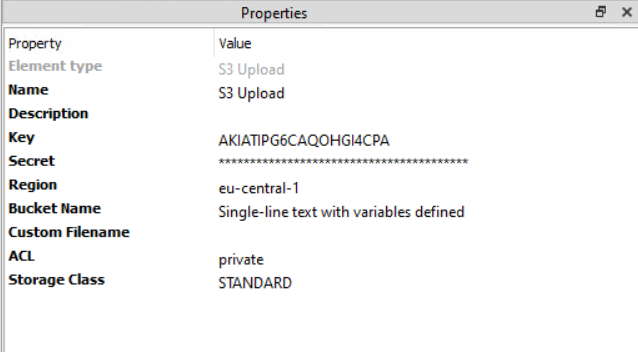
We have been using AWS S3 upload for a little while without any problems. It was a little weird setting up how to upload to a folder on a bucket but I managed.
AWS S3 upload doesn't support setting content-type which is a problem for us. Hopefully in the future the feature gets added.
works perfectly
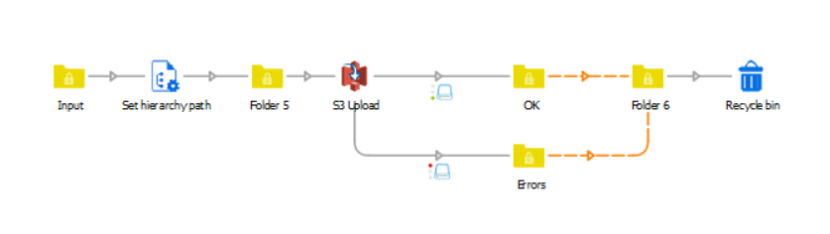
I've requested for a trial for this app as I'm pretty interested on how it works hoping that it will help me with what I need to do. It's already installed in my Switch and already did the setup for it (e.g. aws keys, etc.) but I can't seem to start a connection from it to other elements. I need to do something with the file once it's uploaded to S3 (e.g. move to trash) or if it fails (send alert via email).
Here's how it looks like:
https://drive.google.com/file/d/0B6TD6nlgkG6sbms0Y29ROFlwX3pJaHVnYmFUNEp...
It would be great if this will be fixed soon.