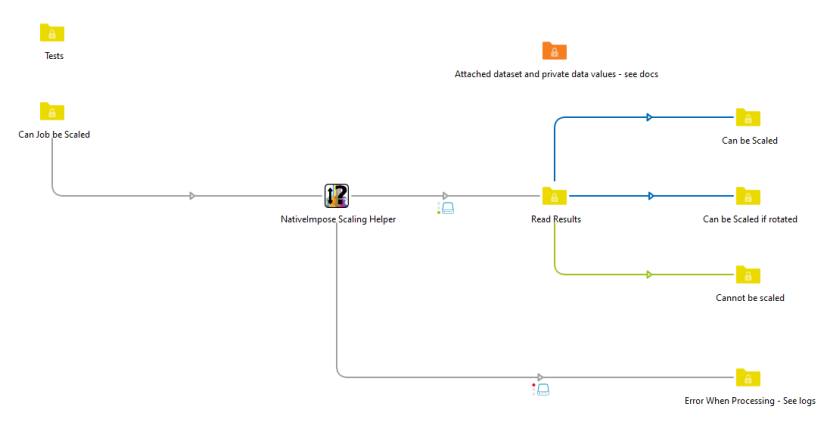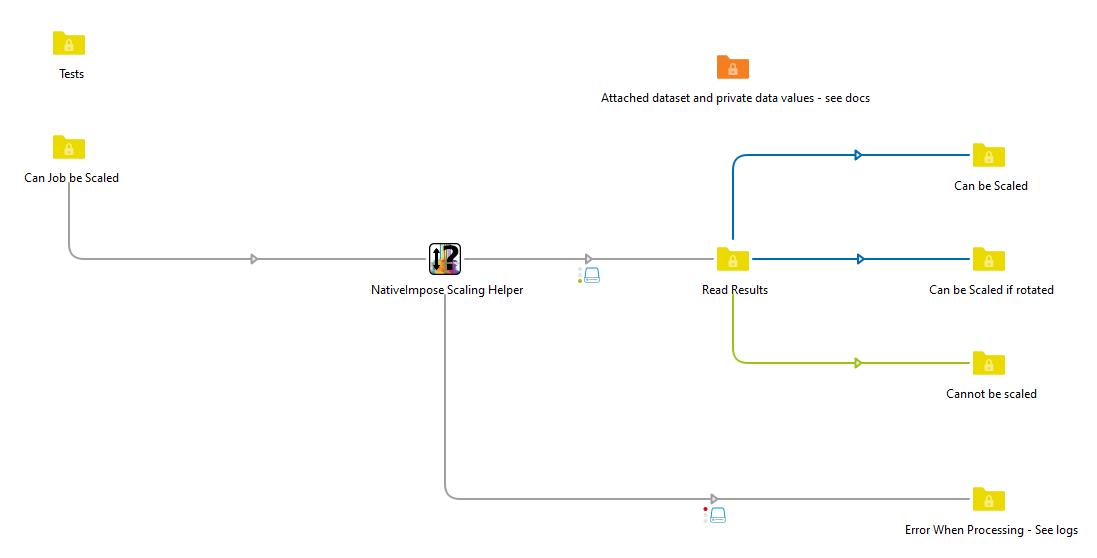
The NativeImpose Scale Helper app validates whether an incoming PDF can be proportionally scaled to a target trim width and height.
Private Data and an XML Dataset provide useful information for job routing and decision making. eg "job can be scaled if rotated" letting you know that the job does not match the quote, but could work. or "job can be scaled" letting you know that, if the quote can be trusted, the art could be scaled to work.
Scale_CanBeScaled: Yes or No
Scale_RequiresRotation: Yes or No
Scale_BleedEqualsTrim: Yes or No (flagged if BleedBox matches TrimBox)
Scale_CalculatedFactor: Multiplier required to reach the target size (e.g., 1.0417)
Scale_Variance: Measure of variance from the target in the selected unit
<?xml version="1.0" encoding="UTF-8"?>
<ScaleAnalysis>
<Unit>millimeters</Unit>
<TargetWidth>900</TargetWidth>
<TargetHeight>550</TargetHeight>
<Tolerance>0.5</Tolerance>
<PDFTrimWidth>900.00</PDFTrimWidth>
<PDFTrimHeight>550.00</PDFTrimHeight>
<CanBeScaled>true</CanBeScaled>
<RequiresRotation>false</RequiresRotation>
<BleedEqualsTrim>false</BleedEqualsTrim>
<ScaleFactor>1.0000</ScaleFactor>
<Variance>0.000</Variance>
<PageCount>1</PageCount>
</ScaleAnalysis>